Galley & cabin inventory for private aviation
Every jet,
fully stocked.
JetStock gives flight departments and corporate flight attendants one shared picture of every galley: where each item lives, what's running low, what's about to expire, and what to buy before wheels-up.
Invitation onlyAccess by code
A note on its origin
Built by a corporate flight attendant, for the way private cabins actually run.
- Flight departments
- One standard for every jet, with an admin who sees the whole fleet.
- Corporate flight attendants
- Walk onto any aircraft and know where everything is and what's missing.
- Contract crew
- Join a department with a code and pick up where the last crew left off.
01
The galley
See every drawer, not a spreadsheet.
Photograph each galley, cabinet and drawer, then tap to mark compartments, or let AI find them. Crew see exactly where things live on every jet.
- Scan a drawer with AI
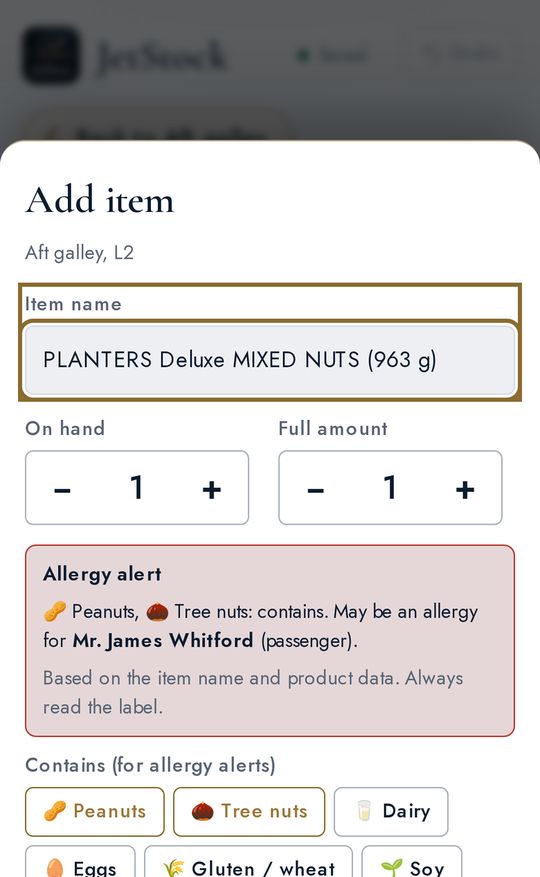
- Snap a whole drawer and JetStock lists what it sees, then looks each item up online for a real product photo and barcode. You confirm every item before it's added.
- Barcode, stock level & expiration
- Scan barcodes, set stock levels and add expiration dates. Low, out and expiring items are flagged before the trip.
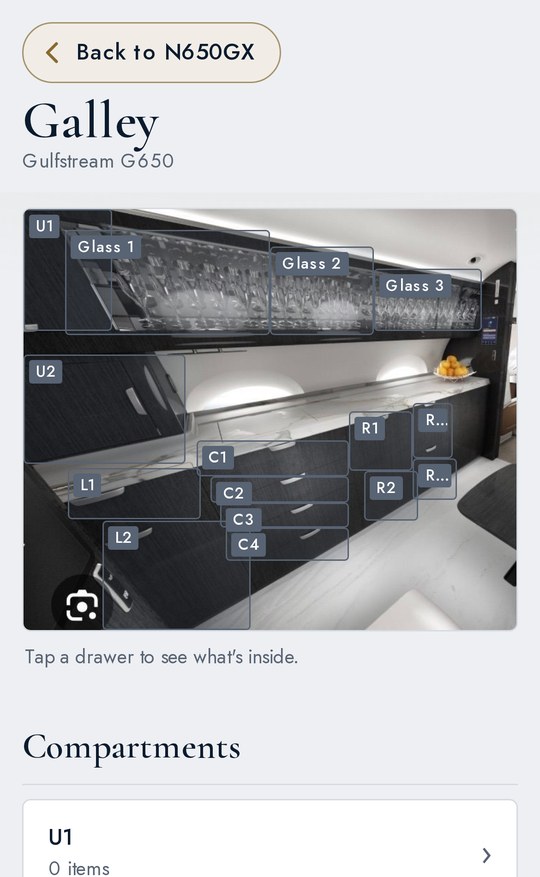
- Fig. 2 The galley, compartment by compartment
- Fig. 3 A barcode, looked up
02
Allergy tracking
Allergies, front and center.
Every passenger and crew allergy sits on their profile, and JetStock checks it against what's on board.
- Passenger & crew profiles
- Peanuts, tree nuts, dairy, gluten, sesame and more, with notes on severity and EpiPens, plus preferences and must-haves, shared with your department.
- Items tagged with allergens
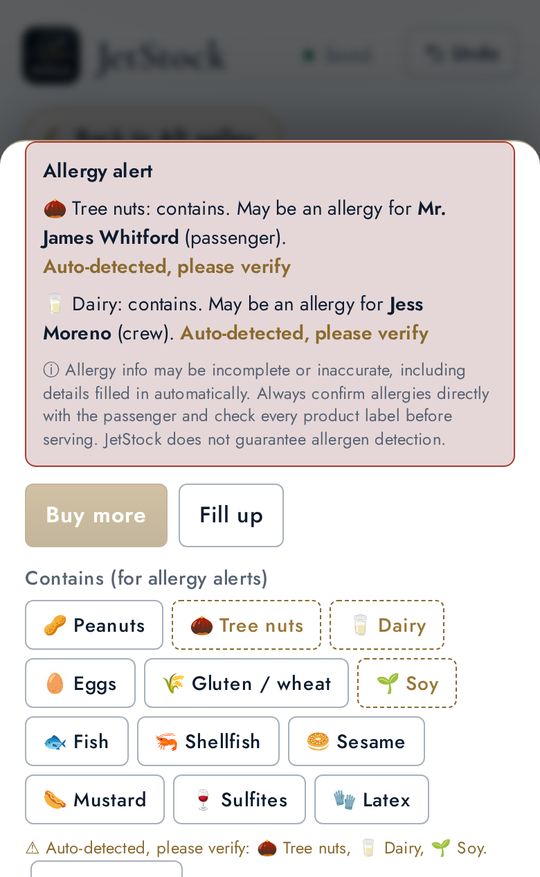
- Mark what each item contains. A barcode lookup fills allergens in for you and marks them "Auto-detected, please verify."
- Alerts where you'll see them
- A red allergy alert on any item that may affect someone on your list, plus flags on the restock list and an allergy count on the fleet dashboard.
Allergy info may be incomplete or inaccurate, including details filled in automatically. Always confirm allergies directly with the passenger and check every product label before serving. JetStock does not guarantee allergen detection.
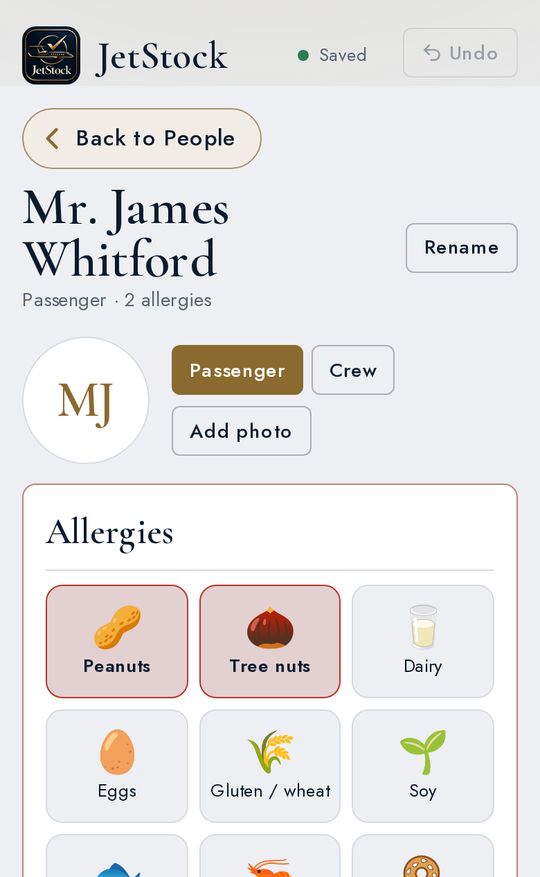
- Fig. 4 A passenger profile
- Fig. 5 The alert, on the item itself
03
Restock & Shop
A shopping list, written for you.
Everything below its stock level goes on a shopping list you can email, text, copy or export as a PDF.
- Built-in Shop
- Restock in a tap. Low items go straight from your restock list to the in-app Shop, so reordering galley and cabin supplies takes seconds.
- Exclusive vendor partnerships Coming soon
- JetStock is partnering with select aviation and hospitality vendors to bring crews special pricing and products.
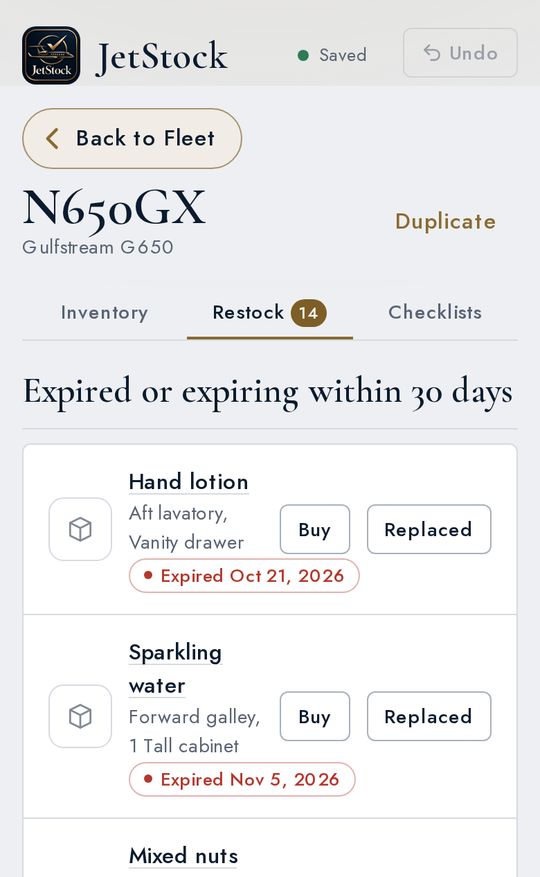
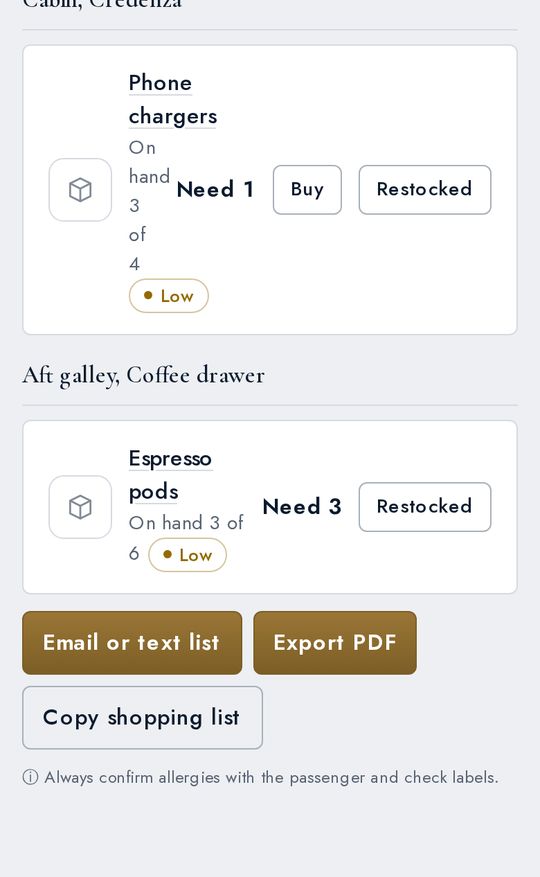
- Fig. 6 Expired, expiring and low
- Fig. 7 Text, email or PDF
04
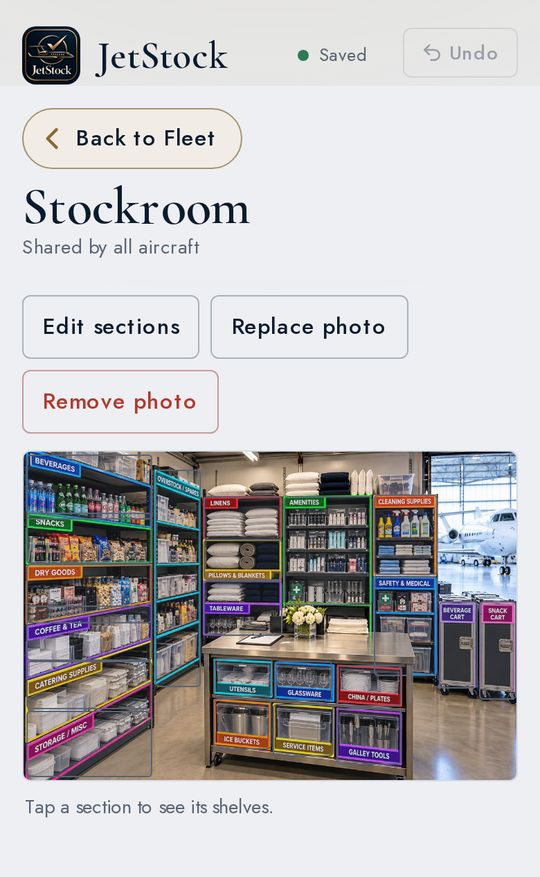
The stockroom
Your hangar stockroom, mapped too.
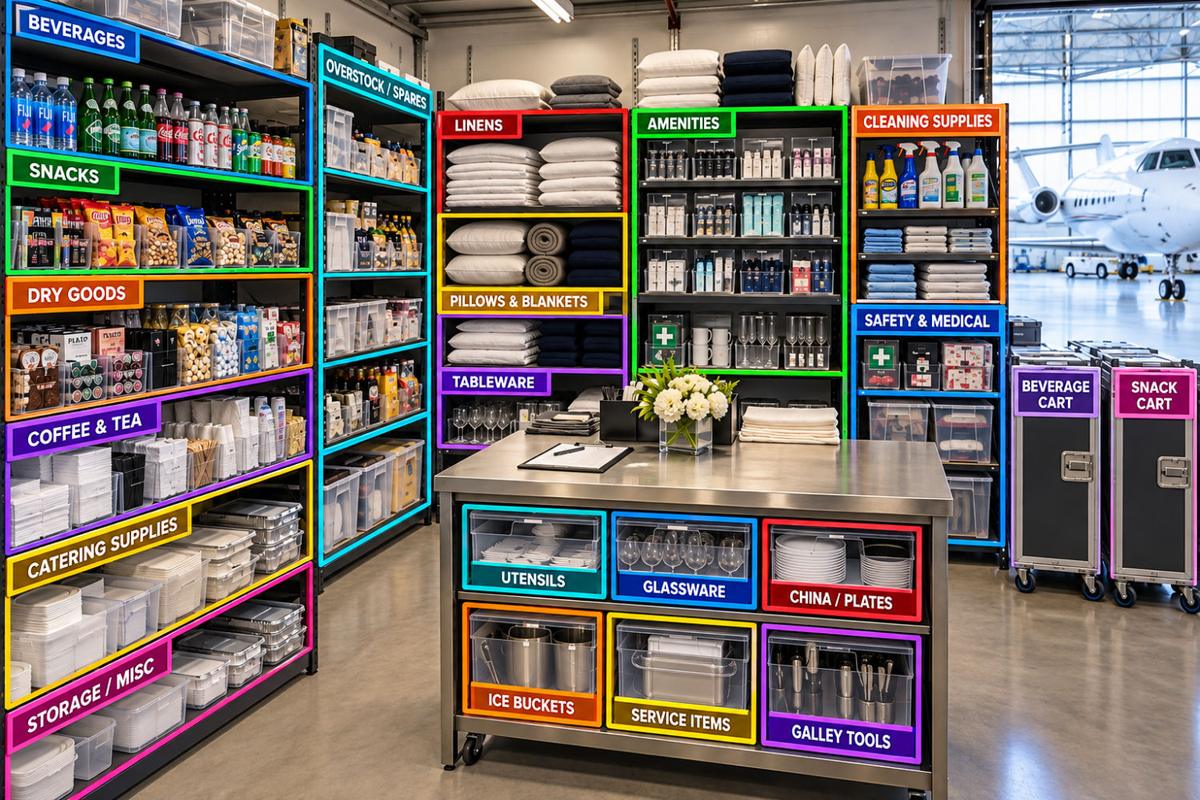
Map your hangar stockroom the same way you map the galley: every shelf labeled, every item counted. The stockroom is shared by all your aircraft, so the backup supply for the whole fleet lives in one place.
- Photograph the stockroom and mark each section on the photo, or let AI find them.
- Break each section into shelves and count what's on them.
- Its own restock list, ready to text, email or export as a PDF.
05
Crew & fleet
Admin and crew, on the same page.
Admins run the department and crew join with a code. Every jet, plus a shared stockroom, in one place.
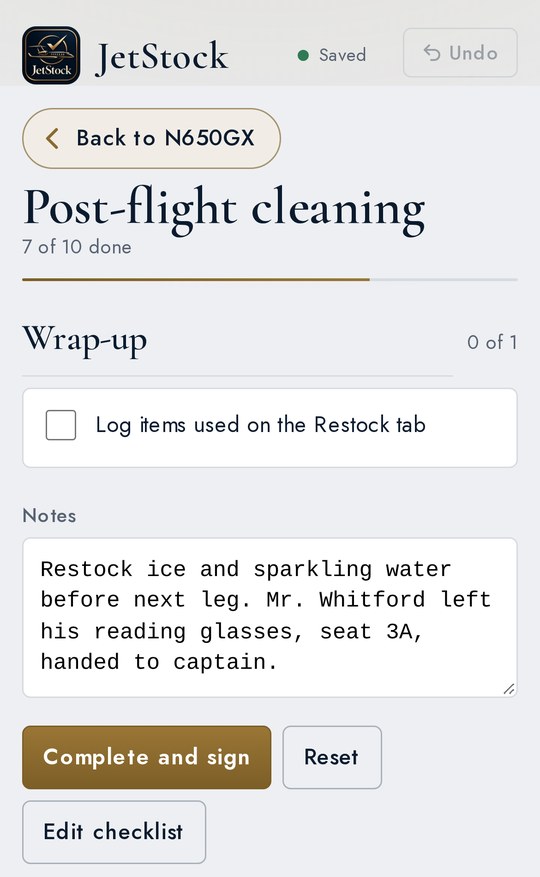
- Crew checklists
- Pre-flight and post-flight checklists with sign-off and a note for the next crew.
- The whole fleet
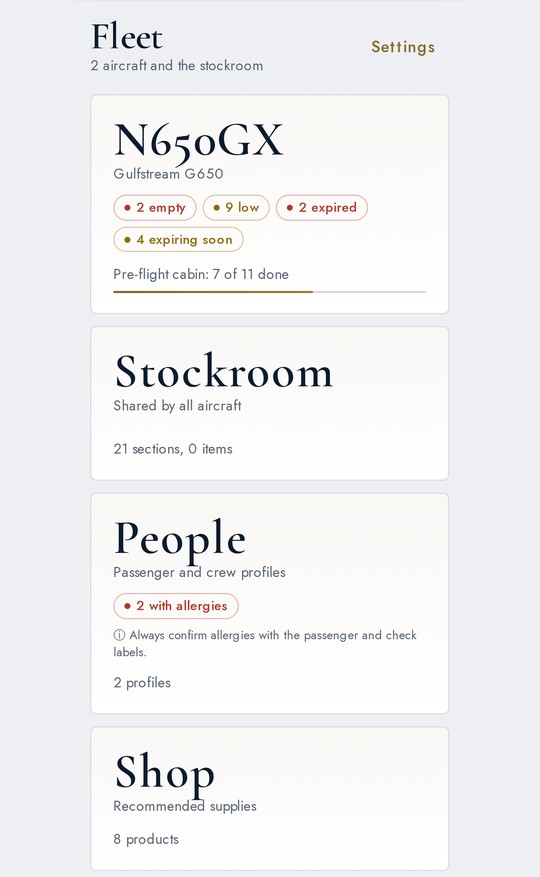
- A dashboard with empty, low and expiring counts for every aircraft.
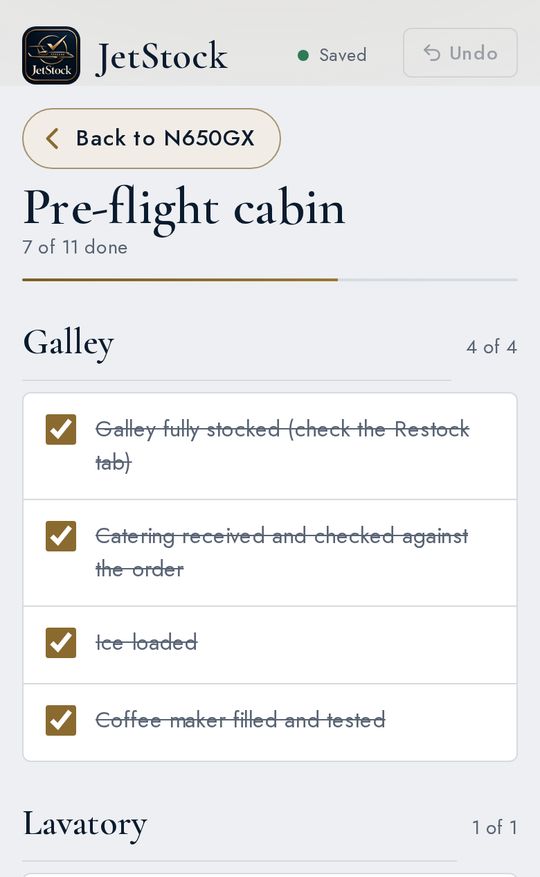
- Fig. 9 Pre-flight, seven of eleven
- Fig. 10 Post-flight, with notes for the next crew
How it works
Three steps to wheels-up.
- i.
Add your jets
Create each aircraft and photograph its galley, cabinets and drawers. Tap to mark where every compartment sits.
- ii.
Stock it
Scan barcodes or let AI read a whole drawer. Set stock levels and expiration dates as you go.
- iii.
Fly with your crew
Crew join with your code, work the checklists, sign off and leave a note. Restock lists build themselves.
Access
By invitation only.
JetStock is set up per flight department with a license code, and crew join with their department's code. There's no open sign-up.
Tell us your name, your flight department and how many aircraft and crew you have, and we'll be in touch. Pricing on request.